Replying to Users
Respond to user messages directly from the Conversations dashboard when human intervention adds value.
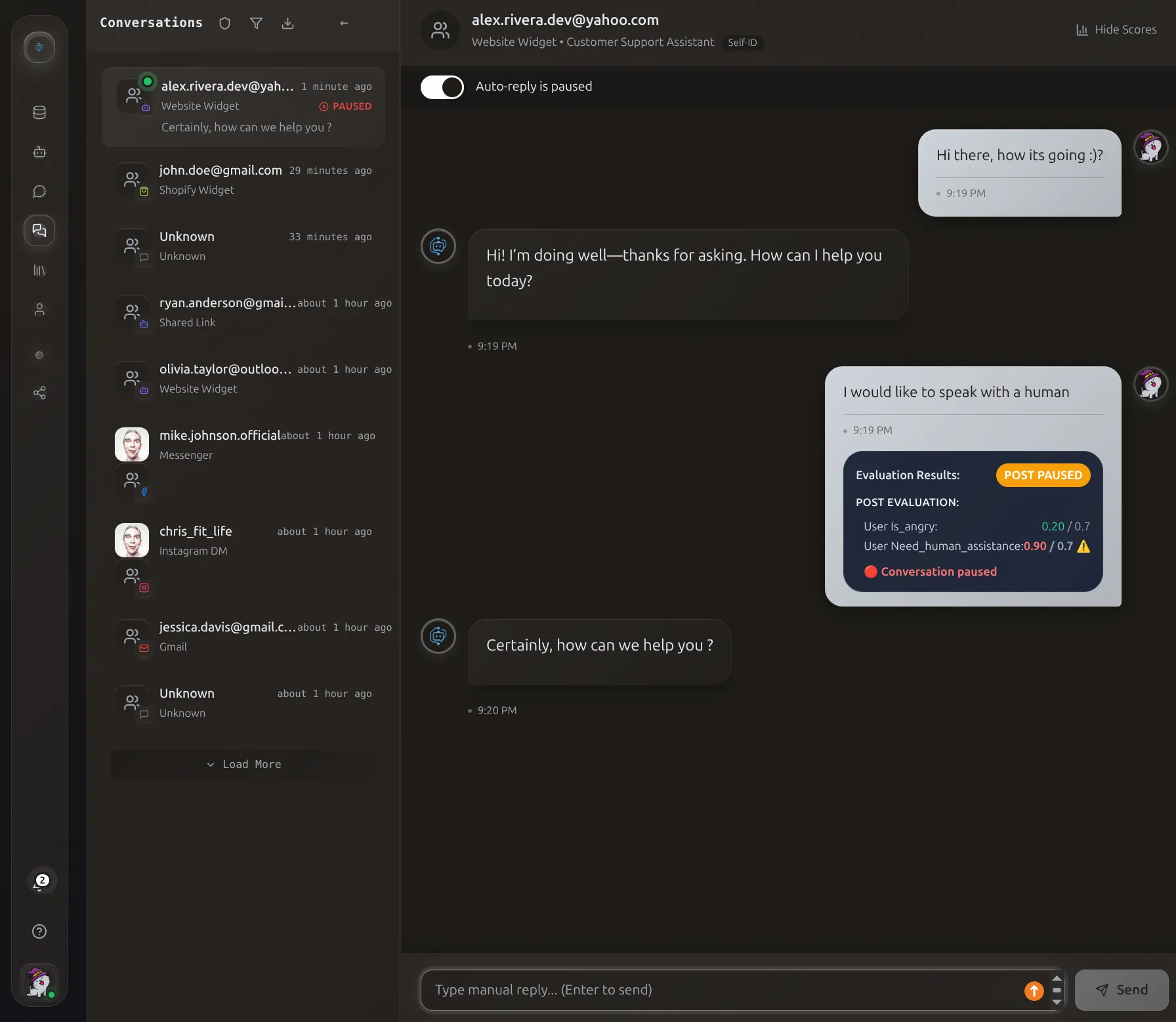 The conversation view shows AI evaluation scores that triggered the automatic handoff to a human agent.
When to Jump In
- Complex issues AI couldn't resolve
- Frustrated customers needing empathy
- Sales opportunities worth personal follow-up
- Sensitive matters requiring personal touch
Manual Reply Availability
- Instagram (DMs and comments)
- Facebook (Messenger and comments)
- Website Widget
- Shopify Widget
- Shared Link
- Gmail (use email client)
How to Reply
1. Pause Auto-Reply
Pause First
Always pause auto-reply before manual intervention to prevent both you and the AI from responding simultaneously.
- Open the conversation
- Toggle Auto-reply to OFF (turns red)
2. Review Context
Read the conversation to understand:
- What the user asked
- How the assistant responded
- User's tone and sentiment
3. Compose Your Reply
- Type in the reply field (appears when paused)
- Review for accuracy and tone
- Click Send
4. Re-enable Auto-Reply (Optional)
Toggle back ON to resume AI responses. Leave paused if:
- Issue requires ongoing human attention
- Waiting for user's final confirmation
- Customer requested human support
Best Practices
Identify Yourself
Always distinguish your human response from AI:
Match Platform Tone
| Platform | Style | Length |
|---|---|---|
| Instagram DM | Casual, emojis OK | 1-3 sentences |
| Facebook Messenger | Conversational | Moderate |
| Gmail | Professional | Full email format |
Provide Clear Value
- Give definitive answers
- Offer insights AI couldn't provide
- Include relevant links and resources
Set Expectations
Let users know what happens next:
Seamless Handoff Experience
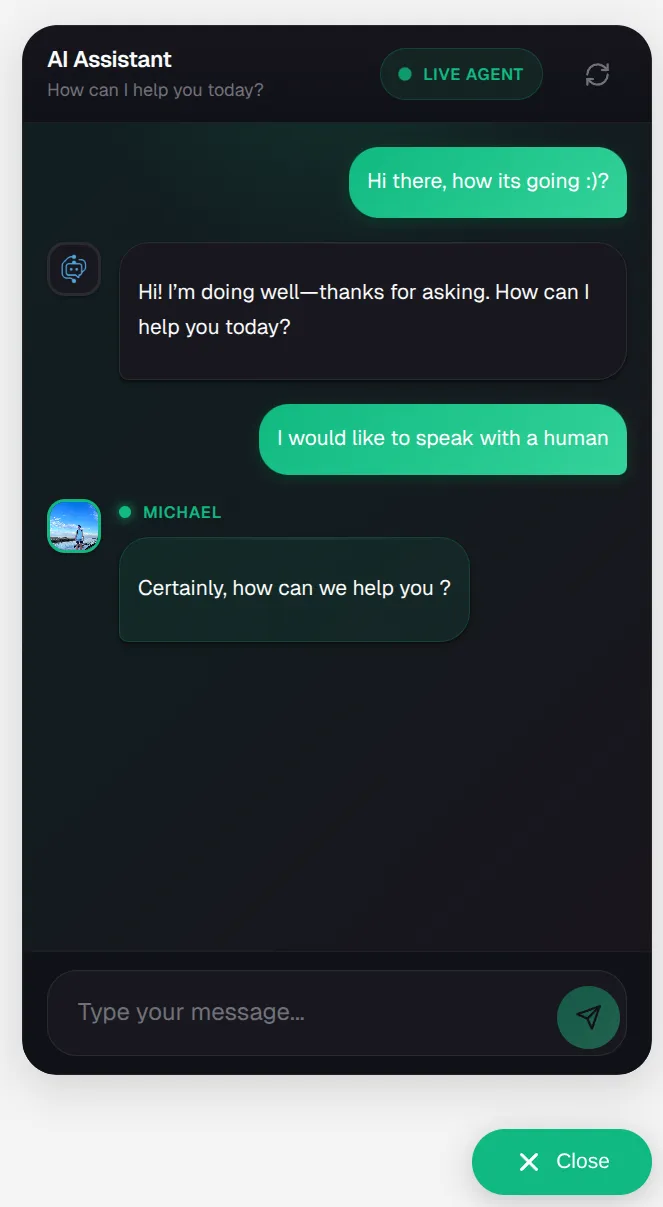 When humans take over, customers see a clear "LIVE AGENT" indicator with the agent's name and photo.
Correct AI Mistakes Gracefully
Don't blame:
Troubleshooting
Can't reply to conversation
Common causes:
- Auto-reply not paused - Toggle OFF first
- Channel doesn't support manual reply - Website/Shopify/Share Link
- 24-hour window expired (Instagram, Facebook)
- User blocked your account
- Integration disconnected - Reconnect in settings
User not receiving reply
Check:
- Verify message appears in thread
- Check integration status is "Connected"
- User may have blocked account
- Message may be in filtered requests
- Platform delivery delays (check status page)
Reply failed to send
Common errors:
- Platform API error - Try again in a few minutes
- Invalid thread ID - User deleted conversation
- Authentication failed - Reconnect integration
- Message too long - Instagram (1000), Facebook (2000) character limits
- Attachment too large - Compress file
Both human and AI responded
Cause: Auto-reply not paused before user's next message
Prevention: Always pause BEFORE user sends next message
If it happens: Send clarification message