Channel Rules
Configure automation rules for how your assistants handle conversations across different channels.
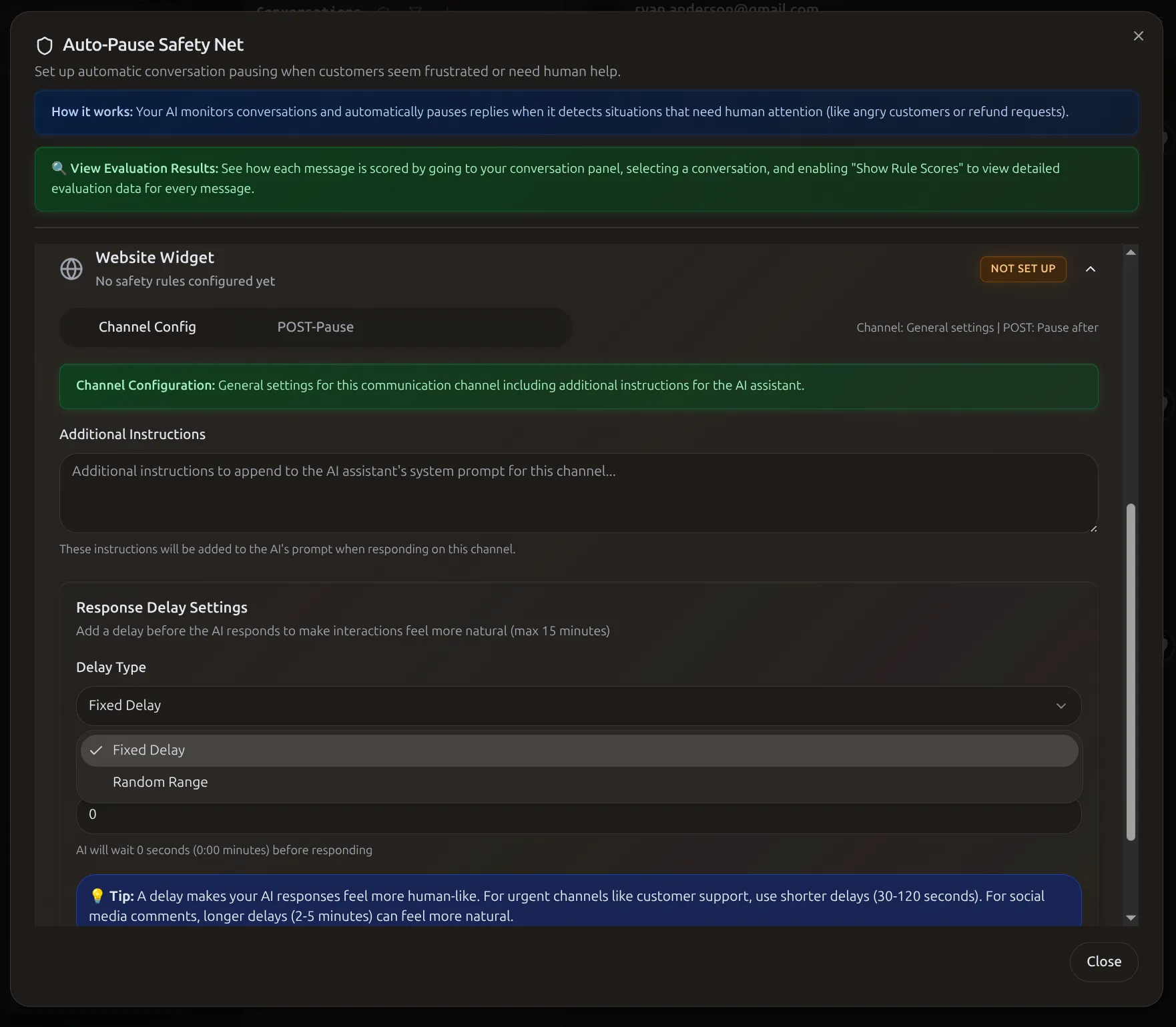 The Auto-Pause Safety Net monitors conversations and automatically pauses AI when human attention is needed.
Common Setups
- Customer support: Auto-reply ON, 10-30s delay
- Comment engagement: Questions only, 30-60s delay
- Email support: Filter by subject keywords
What Are Channel Rules?
Customize how your AI assistant behaves on each platform.
Configure:
- Auto-reply settings
- Response delays (appear more human)
- Message filtering
- Assistant assignment
Why use them:
- Make responses feel less robotic
- Avoid spam and follow platform policies
- Manage high-volume conversations
How It Works
- User sends message on platform
- Webhook delivers to Functional AI
- Rules evaluated (auto-reply enabled? filters? delay?)
- If rules pass: Wait for delay → Assistant processes → Response sent
- If rules block: Message saved (available for manual reply)
Note: Filtered messages still appear in Conversations for manual review.
Accessing Settings
- Go to Integrations (not Conversations)
- Select platform (Instagram, Facebook, etc.)
- Configure webhook settings and delays
Response Delay
Add delays to make responses feel more human-like.
Configuration:
Set min and max values in seconds (0-600):
- Fixed: Min: 30, Max: 30 → Always 30 seconds
- Random: Min: 30, Max: 120 → Randomly 30-120 seconds (more natural)
- Instant: Min: 0, Max: 0 → No delay
Recommended by Platform:
| Platform | Delay | Why |
|---|---|---|
| Instagram DM | 30-90s | Casual conversation pace |
| Instagram Comment | 15-60s | Public, quicker expected |
| Facebook Messenger | 20-60s | Similar to Instagram |
| Website/Shopify | 0-5s | Instant support expected |
| Gmail | 5-10 min | Email doesn't need instant |
24-Hour Windows
Instagram and Facebook have 24-hour reply windows. Keep delays well under this limit!
Advanced: Example Configurations
Natural Instagram engagement:
Quick customer support:
Busy business simulation:
Message Filtering
Control which messages trigger automatic responses. Configure at the integration level.
Strategies:
- DMs only (not comments)
- Comments only (not DMs)
- Separate public vs private engagement
- Questions only (messages with ?)
- Keyword triggers ("price", "available")
- Avoid emoji-only or short comments
- New users only
- Block known spam accounts
Comment Filtering:
Why filter public comments?
- High volume of irrelevant comments ("Nice!", "❤️")
- Avoid appearing spammy
- Platform policies around automation
Best Practice: Start selective (DMs only, questions only) and expand carefully.
Custom Trigger Conditions
Create intelligent rules that detect when human intervention is needed:
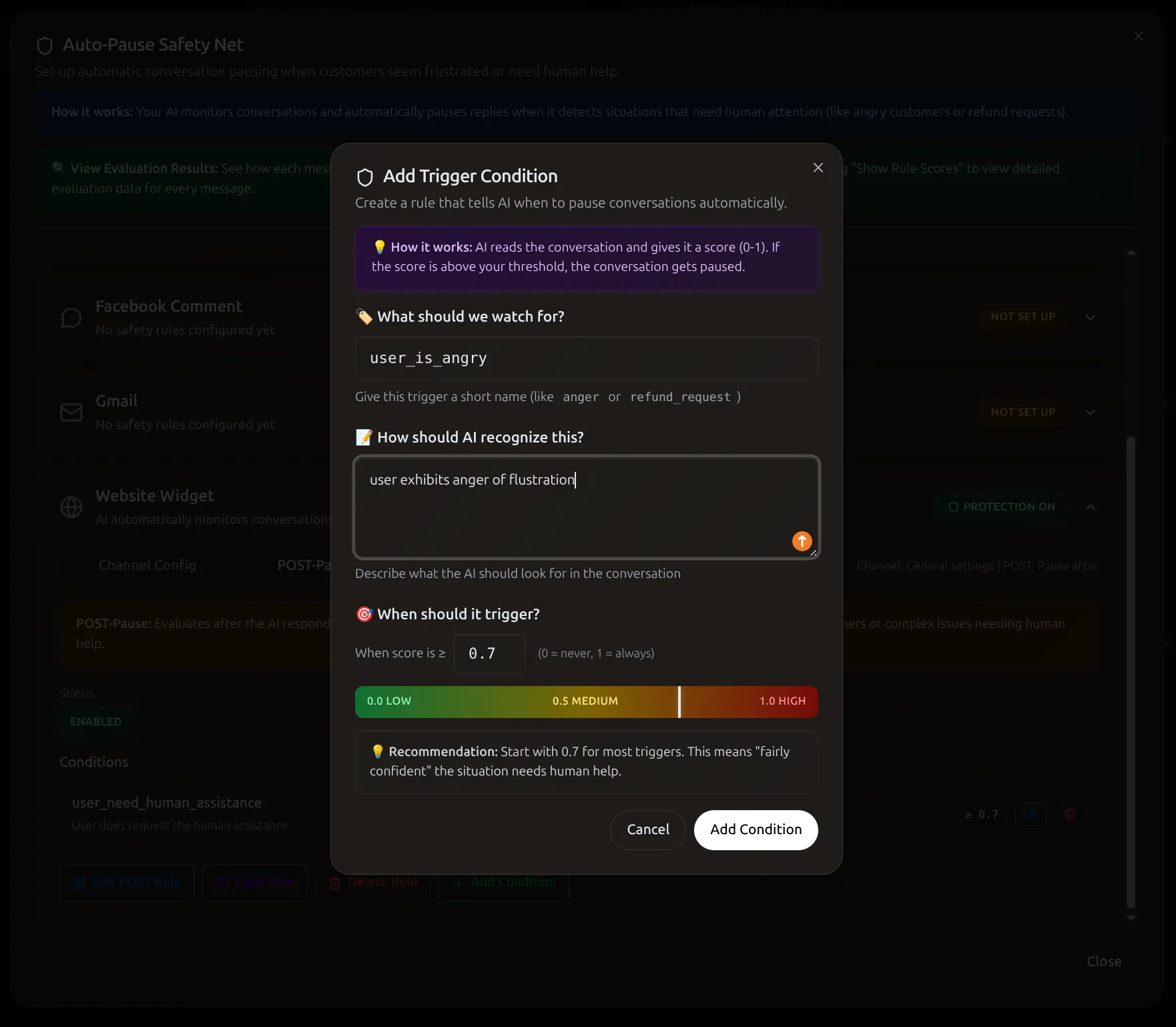 Define natural language triggers like "user is angry" with customizable sensitivity thresholds.
Per-Conversation Pause
Pause auto-reply for specific conversations while others continue:
- Open conversation
- Toggle Auto-reply to pause
- Manually reply if needed
- Toggle back on to resume
Use when:
- Customer needs personal attention
- Complex issue beyond AI capability
- Sensitive matter requiring judgment
Troubleshooting
Auto-replies not working
Check in order:
- Auto-reply enabled globally? (Integration settings)
- Paused for this conversation? (Look for red border)
- Webhook configured? (Status: "Connected")
- Delay too long? (Wait for delay period)
- Platform restrictions? (24-hour window expired)
- Message type supported? (Stories/reels may not trigger)
Debug: Send test message, check if it appears, wait for delay
Delay not working
- Verify delay set (both min and max)
- DM delay vs comment delay are separate
- Test with fresh conversation (incognito)
- Time with stopwatch
Assistant responding when it shouldn't
- Each conversation must be paused individually
- Check which assistant assigned to channel
- Old webhook may still be active
Messages delayed too long
Remember: Delay is in SECONDS, not minutes
- 300s = 5 minutes
- 3600s = 1 hour
Max recommended: - Instagram/Facebook: 300s (5 min) - Website/Shopify: 10s
Webhooks keep disconnecting
Common causes:
- OAuth tokens expire (60-90 days)
- Password changes invalidate tokens
- Platform policy violations
Prevention: Monitor status weekly, reconnect proactively
Responses sound robotic
Delays alone don't make responses human:
- Improve assistant instructions (add personality)
- Use random delay ranges (30-120s), not fixed
- Match platform culture (casual vs professional)